
In this article you will learn:
- What MPIP is;
- How it works,
- Available Features and Limitations,
- Who can use this function
- About security.
What is Microsoft Purview Information Protection (MPIP)?
Microsoft Purview Information Protection (MPIP) is a Microsoft security and data protection solution that helps organizations identify, classify, label, and protect sensitive information.
It helps ensure that sensitive company information is accessed and shared only by authorized people.
How does it work?
In Edit Mode, on the Agenda Tab, you can import documents directly from SharePoint or OneDrive in two ways:
- Click "Add document" directly on an agenda item,
- Click "Add documents" in the side panel.
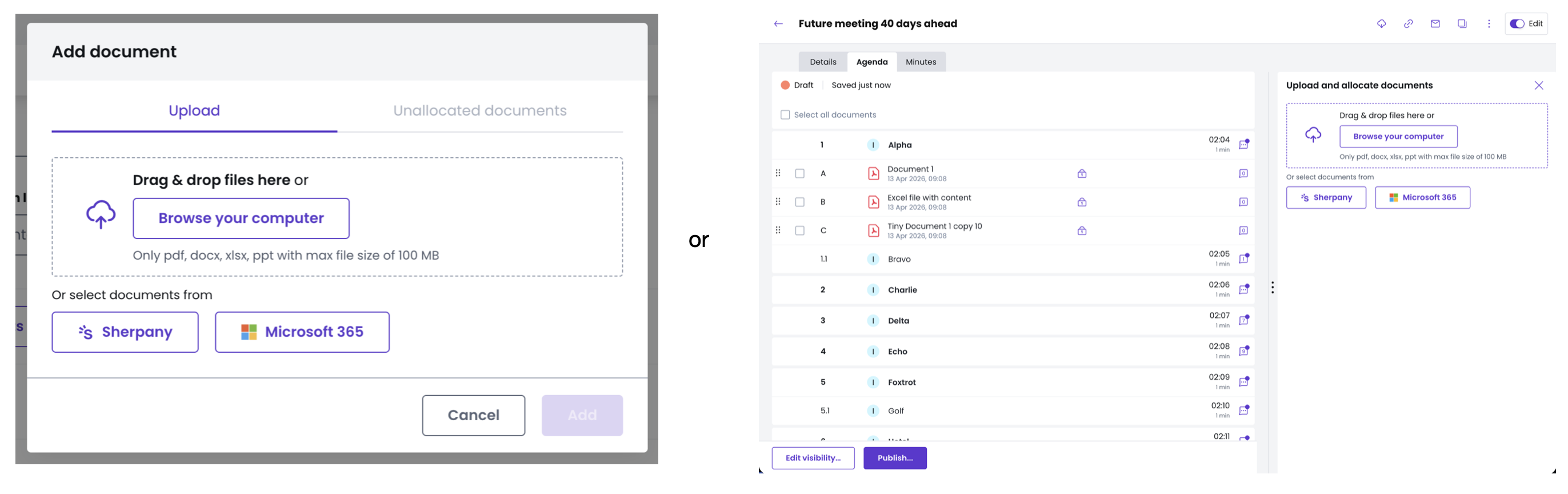
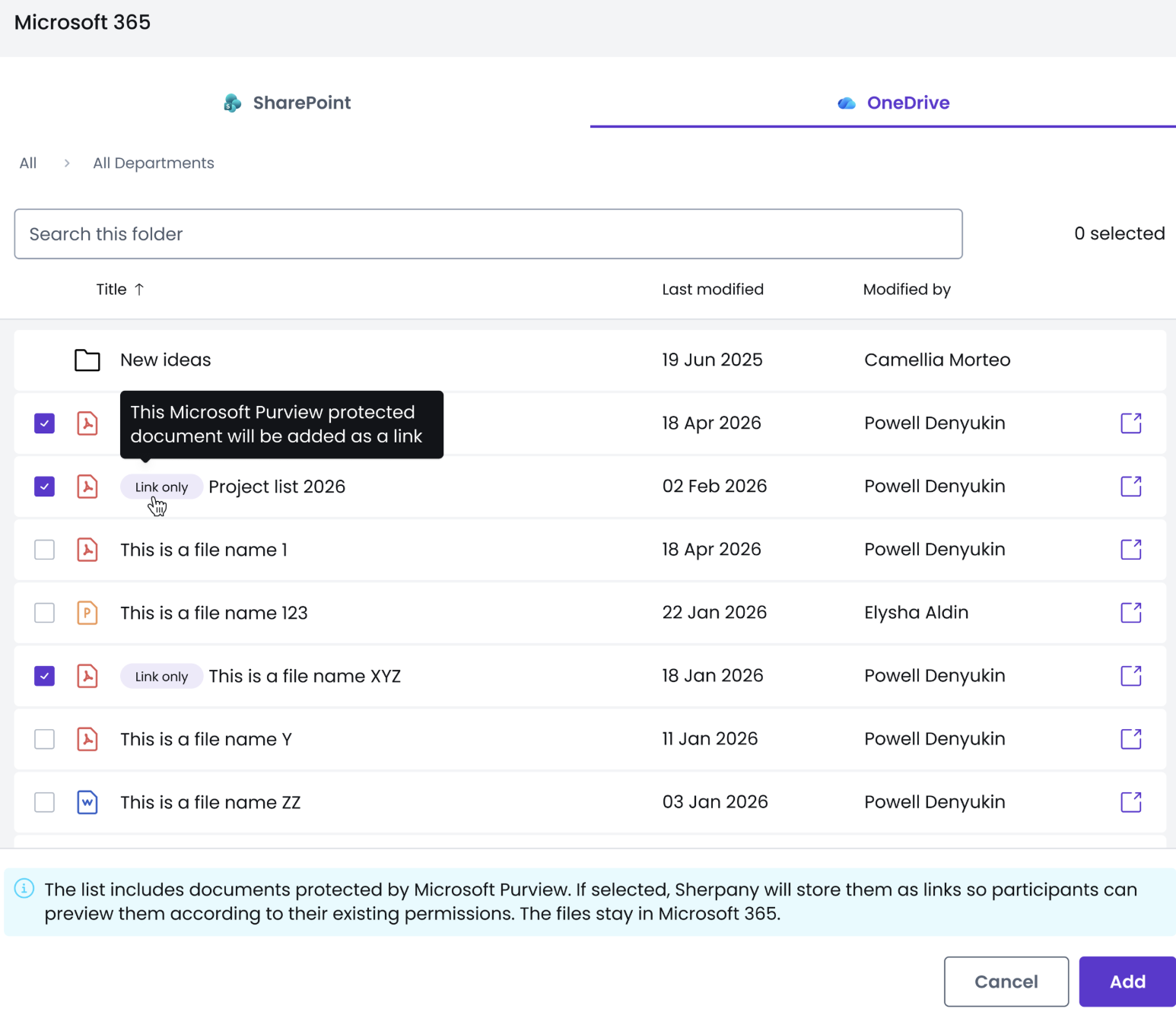
Both options will let you select "Microsoft 365" to access your SharePoint and OneDrive files.
Usually when uploading documents, it will create a PDF version, which does not apply for documents encrypted by Microsoft Purview. Therefore, once selected, the document is stored as a link so participants can preview them according to their existing permissions
Information
To view the encrypted document, each user must have a Microsoft 365 account, be signed in, and have permission to open the document based on its sensitivity label.
A sensitivity label does not automatically mean a file is encrypted. Encryption and restrictions depend on how your organization configures the label.
Available Features and Limitations
✅ Available:
- Viewing the encrypted document (with the restrictions of the label),
- Pre-reading tracking and meeting preparedness,
- Discussion in the agenda item.
❌ Not Available:
- Annotations,
- Pinned comments in the document,
- Document Analyst, Minutes Writer context, and Global Search,
- Download of the document,
- Including the document in the Meeting Book or the Minutes PDF,
- Offline access in the iOS app.
Information
If a participant has no Microsoft 365 account, they will receive a message to log in to their Microsoft account.
Who can use this function?
This function can be used with Microsoft 365 integration, which is part of the Extension for Digital Champions.
What about security?
- We store no copy of the protected document, only a reference to it.
- "Microsoft” (SharePoint / OneDrive) decides who can see the document, per user and per document.
- The feature uses only the Microsoft permission that Sherpany had already requested.
- Each user gets their own preview.
- Within Sherpany the “manage access”, security levels and classification levels functions still apply, and they are independent of the Purview label:
- "Manage access” and classification decide who sees the agenda item;
- The Purview label decides whether the document opens.
- It is not possible to change the label of a document in Sherpany.